

Media Kit 2026 · Free for hosts
Promote an exhibit or a talk in your community
Hosting “Who Is the Man of the Shroud?” or one of our speakers? These free templates give your parish, school or group a flyer, posters, bulletin ads and social posts that all match. Fill in your date and place, and they’re ready to print or post.
Pick your version
Every piece comes in three versions. Use the one that matches your event.
You’re hosting the traveling exhibit.
A talk by one of our speakers, with their photo and bio.
The exhibit, with a talk during its run.
Download the pieces
Each download has the PowerPoint templates in all three versions, previews, and the how-to guide.
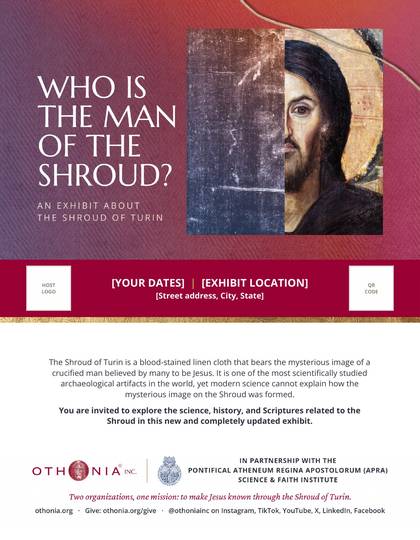
8.5 × 11 in
Flyer
For the parish office printer, email attachments and the church doors.
When: 3–4 weeks before
Download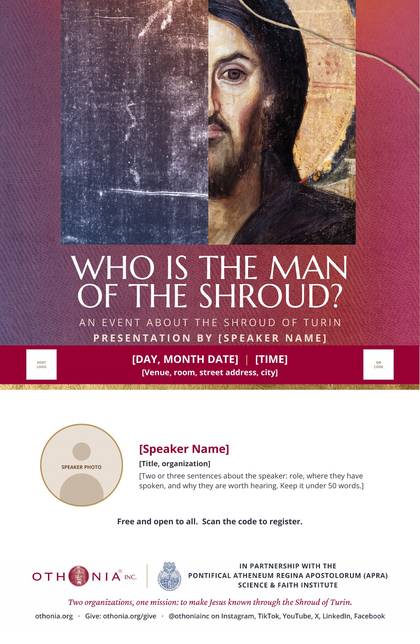
11 × 17 and 24 × 36 in
Posters
For the narthex easel, the parish hall and school hallways. Print the 24 × 36 at a print shop.
When: 3–4 weeks before
Download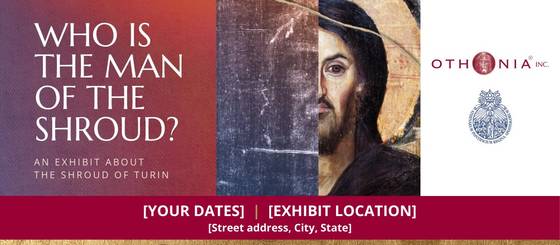
8 × 3.5, 8 × 5.5 and 4 × 5.5 in
Bulletin ads
Send one to your bulletin editor. Ask which size they have room for.
When: to the editor 2 weeks ahead, then run 2–3 weekends
Download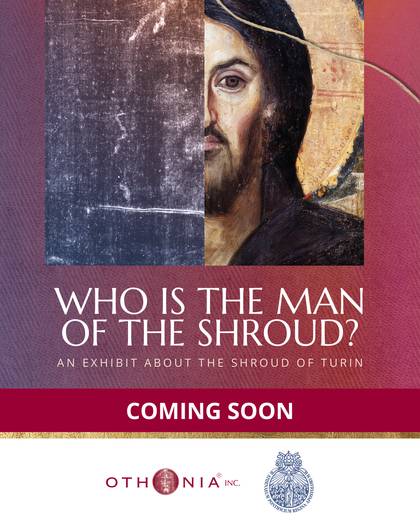
1080 × 1350 and 1080 × 1920 px
Social posts & stories
For Facebook and Instagram. Includes “Coming soon” and “Now open” images that are ready to post.
When: coming soon 3 weeks out, the event post 1 week out, now open on the day
DownloadPress release
& announcements
Word documents
Press release & announcements
A fill-in press release for your local paper, plus a bulletin blurb, a pulpit announcement and social captions to copy.
When: 2–3 weeks before
DownloadEverything
in one zip
About 58 MB
The whole kit
Every piece, all three versions, the guide, and the press and announcement copy.
Handy if you’re promoting more than one event.
DownloadFill it in, in about five minutes
The how-to guide has the details. Here’s the short version.
- Open the PowerPoint file for your piece and version. PowerPoint gives the best result, but Keynote and Google Slides work too.
- Type over the [bracketed] text in the red band with your dates, place and address. For a talk, add the speaker’s name and bio.
- Swap the pictures (right-click › Change Picture) for your logo, a registration QR code and the speaker’s photo, or delete the ones you don’t need. The artwork is locked so it always matches.
- Export a PDF to print, or a PNG for email and social media.
Need a hand?
Questions about the kit, or need a size we don’t have? Email Aline Vargas at aline@othonia.com. And tag @othoniainc when you post, so we can share it.
See upcoming events